
White paper

Benchling Automation connects your lab instruments to your scientific record, runs analysis automatically, and feeds every result directly into the next decision, on whatever hardware you already run.
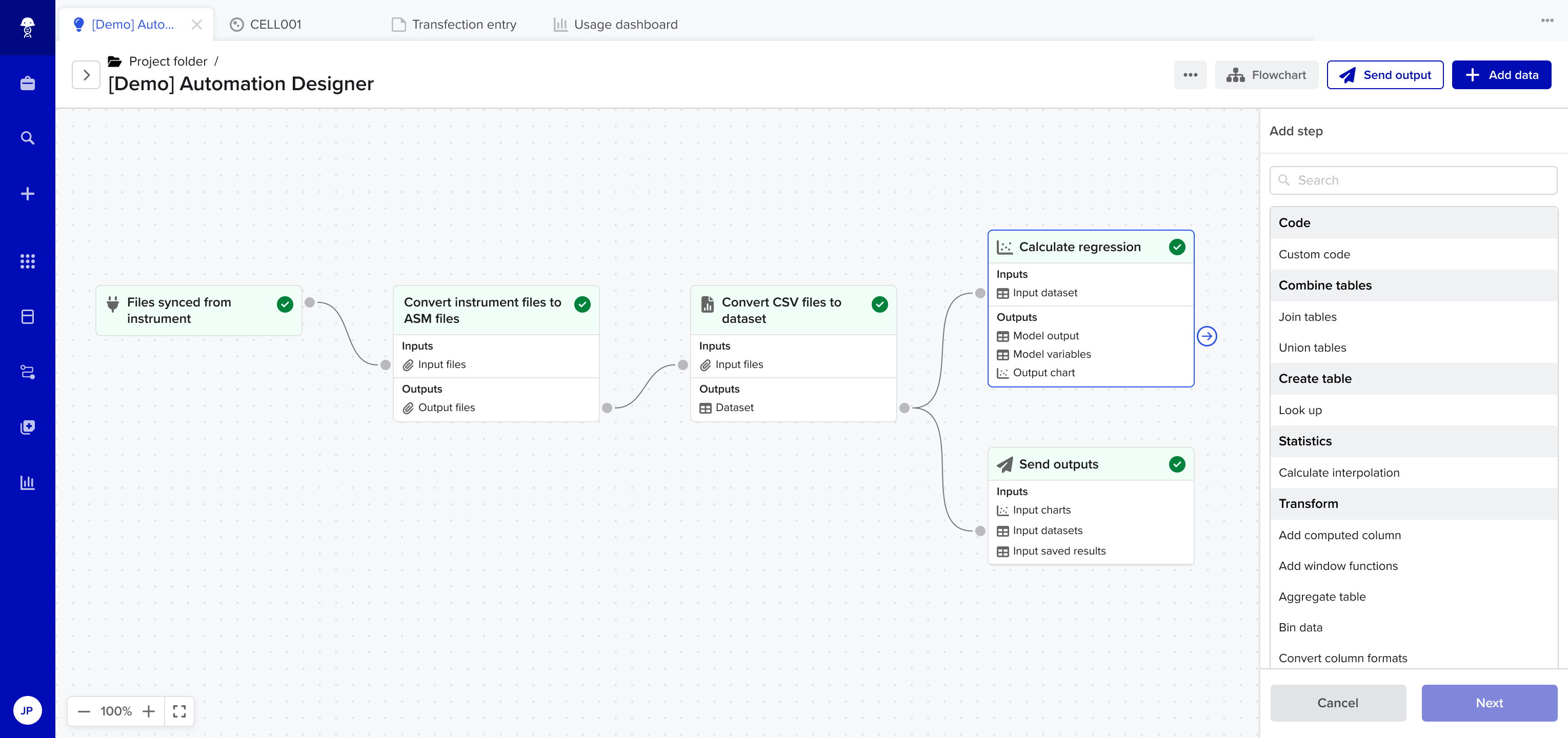





Plate readers, liquid handlers, qPCR systems, cell culture analyzers — data flows directly into Benchling, linked to the samples and experiments that generated it.
Design and configure the workflows that run your lab on a visual flowchart. Update the template in place when the process changes, instead of re-engineering it.
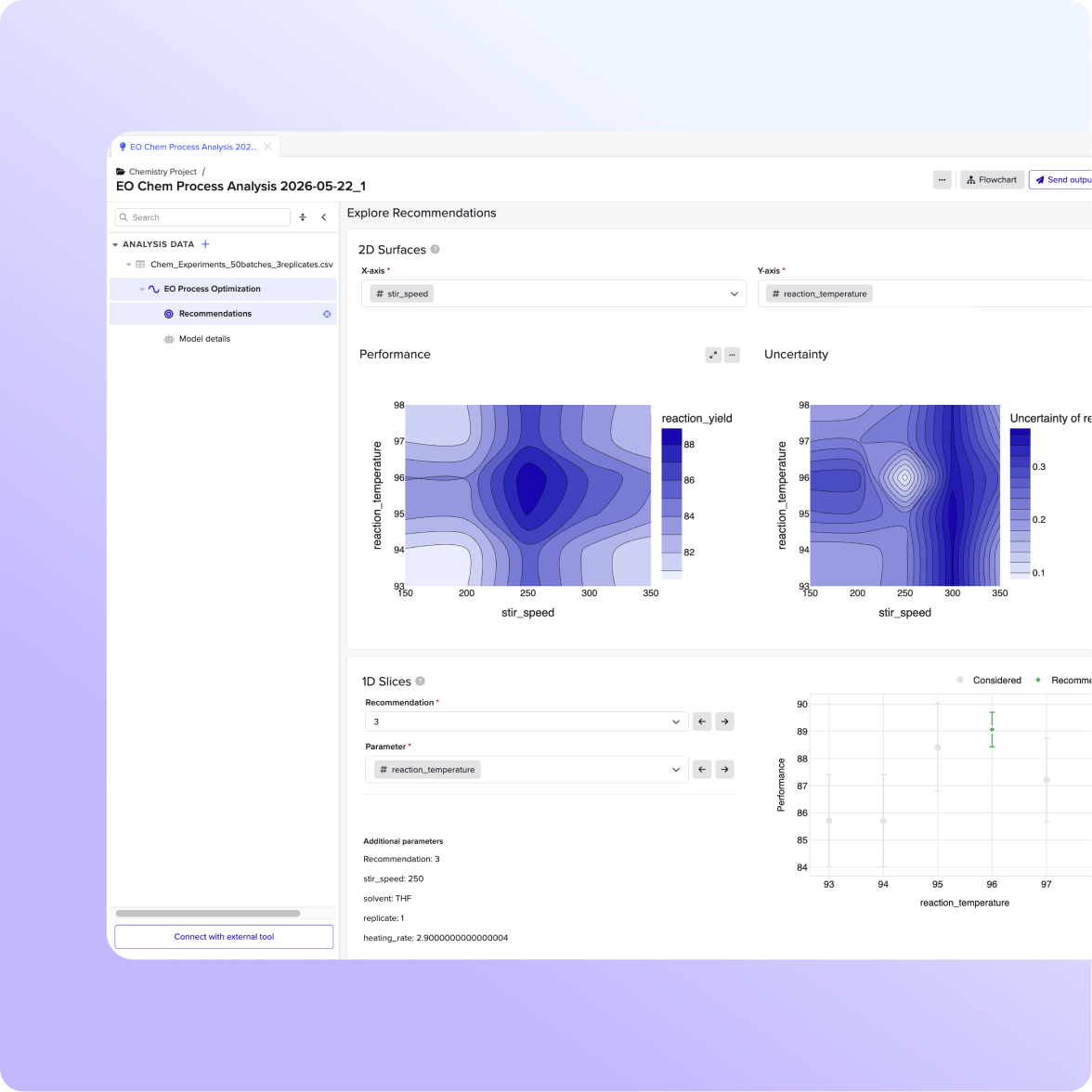
Charts, curve fits, and statistical outputs appear inside the notebook entry where the experiment lives, not in a separate tool you have to go find.

Design and orchestrate your instruments and automation — send instructions out; bring results back. Analyze those results in the same flow, turning raw data into charts, models, and decisions. Define the logic once, and it runs every time. When the process changes, update the template in place instead of re-engineering it.
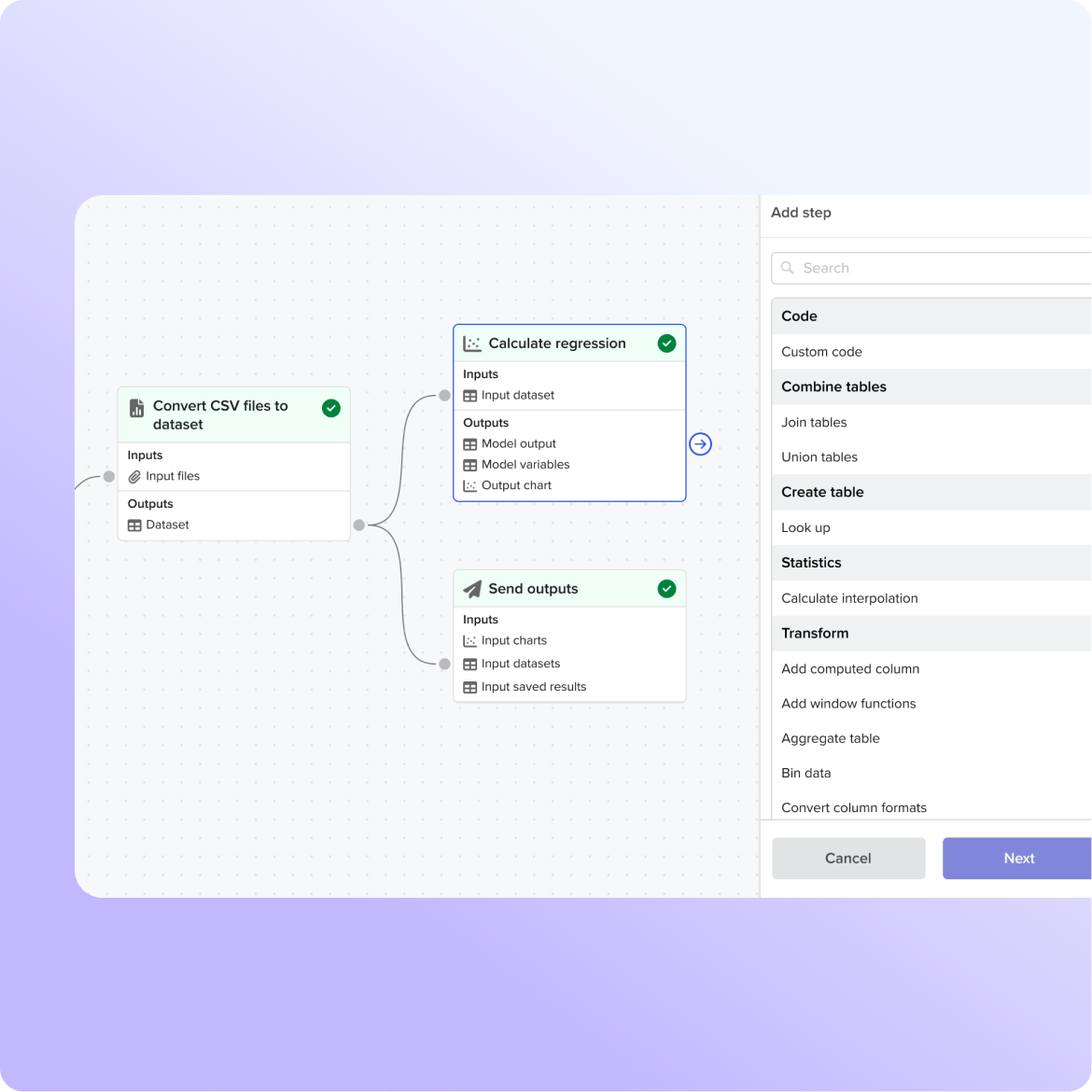
For teams whose analysis requires statistical pipelines, custom curve fits, or model-guided decisions, use Python directly in Benchling. You get the depth of a fully scripted workflow without maintaining a separate codebase or managing handoffs to an external environment.
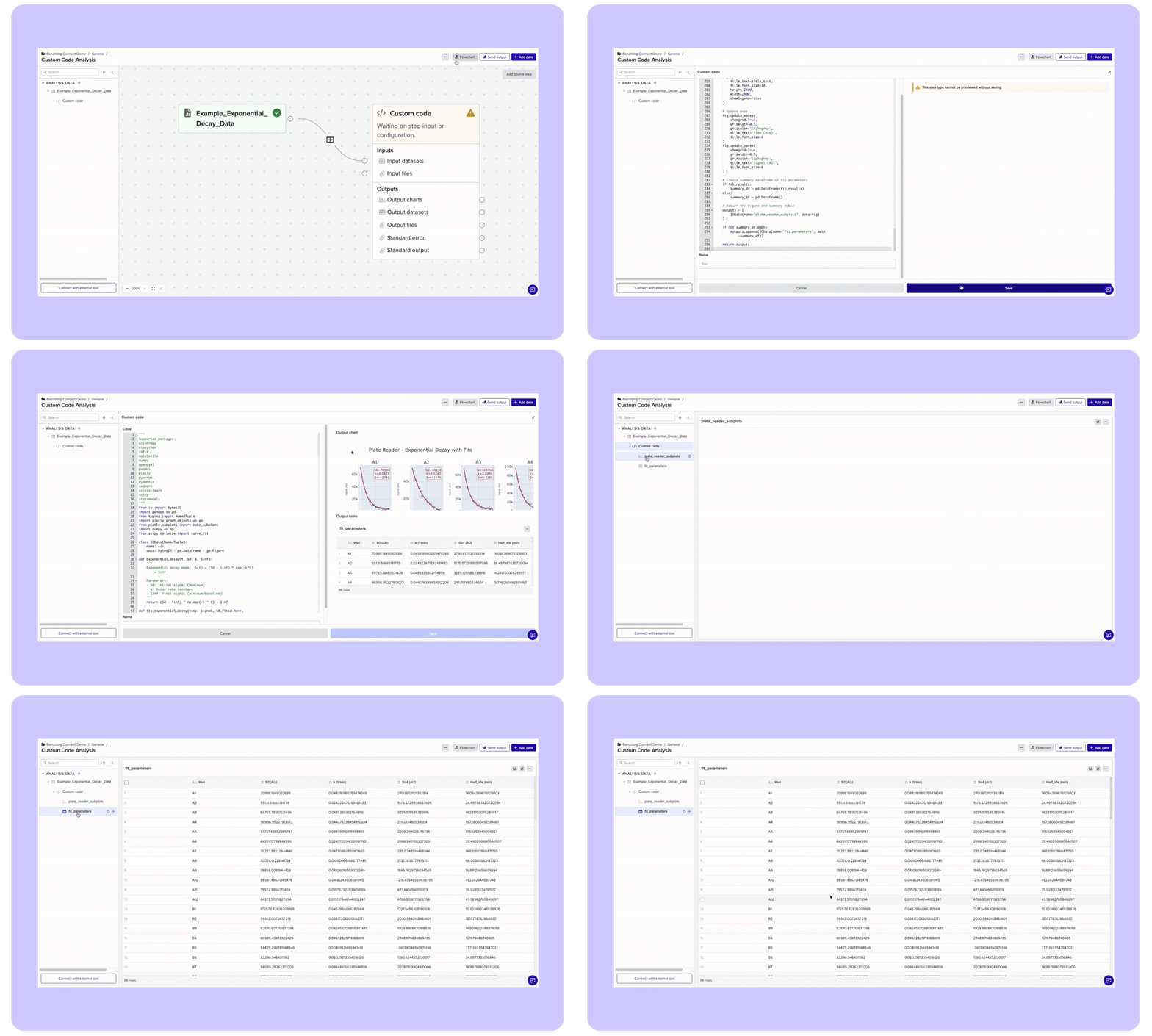
Charts, curve fits, and statistical outputs appear directly in the notebook entry where the experiment lives. Every result traces back to its source sample, so you can move from raw data to a decision without leaving Benchling.
The partner ecosystem covers the full range of how labs operate: HighRes, Hamilton, and Celltrio for workcell fleets; Automata for end-to-end lab orchestration; Opentrons for bench liquid handlers; Ginkgo Bioworks for teams that want automated data quality without building the infrastructure themselves.
Yes. It supports 200+ instruments across all major categories, including plate readers, liquid handlers, qPCR systems, and cell culture analyzers. If your instrument isn't on the list today, the file watcher provides a generic fallback, and the connector library grows continuously. Check the full instrument list or talk to your account team.
No. Benchling lets scientists and lab informaticists build and modify workflows without writing code. Teams can also access Python-level depth for complex statistical pipelines or custom analysis, but it's optional.
Benchling Automation is hardware-agnostic. At launch, partner integrations include HighRes, Hamilton, Celltrio, Opentrons, Ginkgo Bioworks, and Automata. The platform works across vendors by design.
Results land in the Benchling scientific record, linked to the samples and experiment that generated them. Analysis runs automatically. Every result is traceable to its source and available for search, review, and downstream use by your team or AI tools.
Benchling Automation produces the structured, traceable records that Benchling AI reads to propose next experiments. The automation layer and the intelligence layer are built to work together — clean data linked to its source is what makes AI-guided decisions possible.